
Build
Relay
A job too big for one session becomes a set of task files. Runova runs them one after another in fresh sessions, and every session leaves a handoff for the next.
Big jobs, one session at a time
An agent session has a limited context. A large job, such as a new feature across a whole codebase, does not fit in one. Relay splits the job into Markdown task files that each fit one session’s context (200K tokens by default), then runs them one after another, each in a fresh session.
A handoff between every session
Every session writes a handoff file with five parts: the purpose of the task, what is done so far, the decisions made, what was tried and rejected, and the next step. The next session reads it first, so it picks up where the last one stopped instead of starting over.
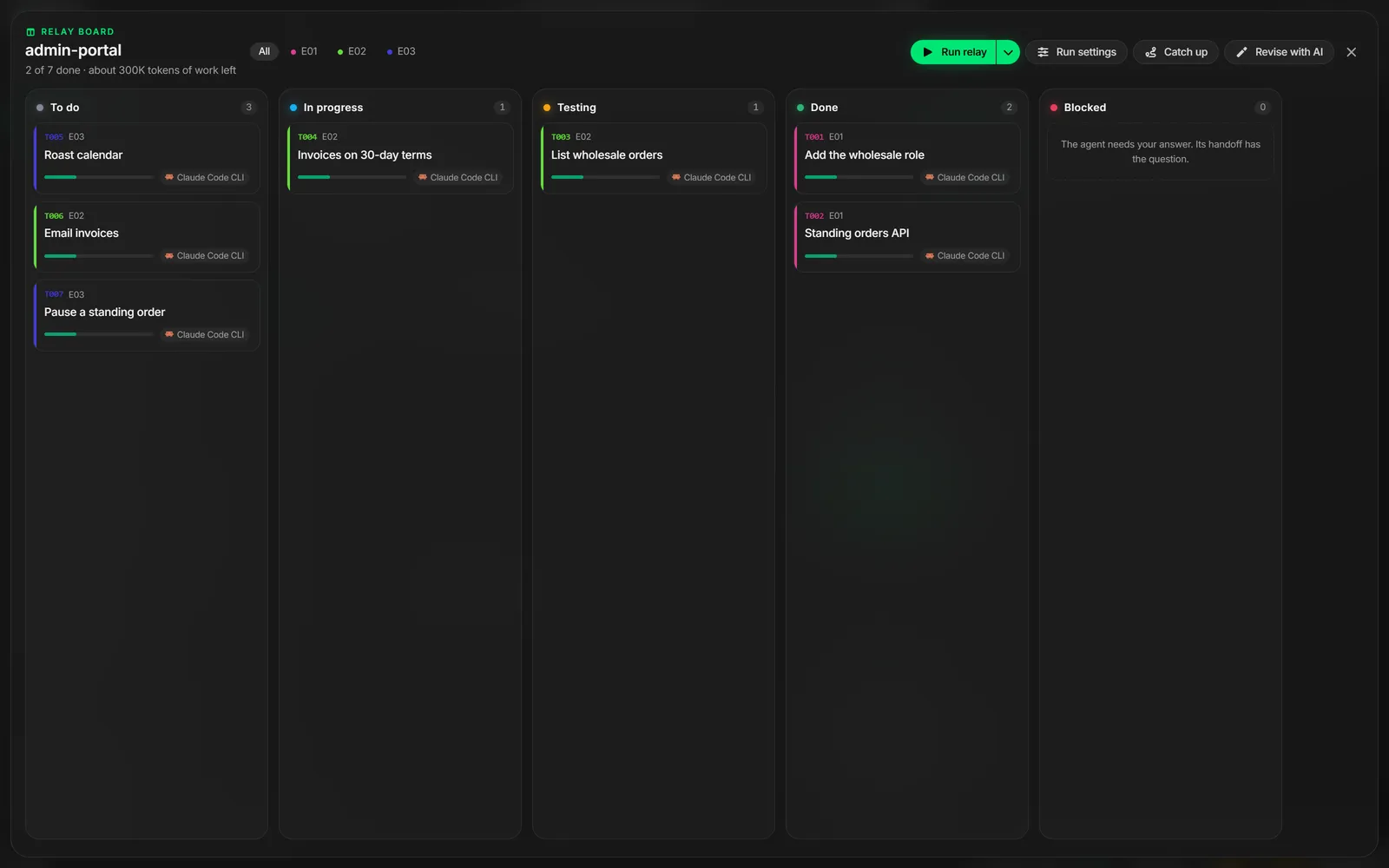
A session ends with one of three outcomes. Done moves the task to Done and starts the next one. Continue means the session ran out of budget, so a fresh session carries on with the same task. Blocked pauses the relay and tells you what the agent needs from you.
A board that moves by itself
Tasks sit on a board with To do, In progress, Testing, Done and Blocked columns, and the cards move as the relay works. Open a card to read its spec, the handoffs from every session, and each session’s agent, model, running time and context use. You can also drag cards yourself.
Plan the work with AI
You do not have to write the task files by hand. Split into tasks has an AI planner size a request into tasks for you, and Catch up works out where a project that is already under way stands, so Relay can carry on from there.
Budgets that hold
With Claude Code, Runova watches the session’s real context use and tells it to finish its current step and write the handoff at 80% of its budget, so long tasks still finish without a session running out of room. Codex and Copilot report their progress through an MCP server, and other agents can run tasks too.