
Ship
Ship
Everything after the code is written. GitHub Actions, a panel for your own Linux servers, uptime and error monitoring, Docker containers and Android emulators.
Pipelines
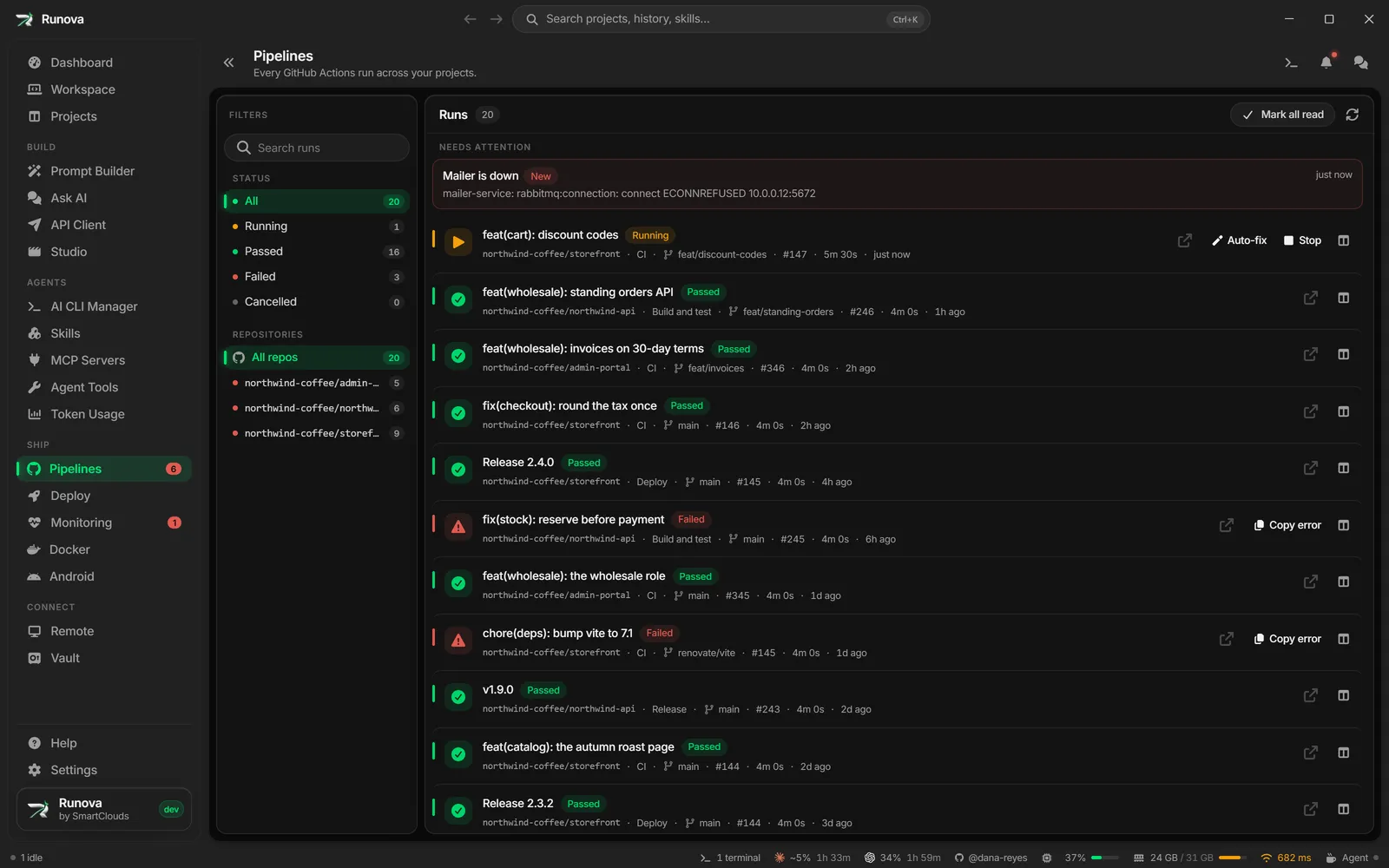
One page for GitHub Actions across every repository you connected. Start and stop workflows by hand, read a run’s annotations without opening a browser, and when a run fails, hand it to an agent with Fix with AI.
Deploy: a panel for your own servers
Deploy turns a Linux server you can reach over SSH into one you manage from Runova, without a web panel open to the internet. Pick a saved SSH server and click Install. Runova puts a small service on it, and from then on the Deploy page shows that server’s sections. The service listens only on a local socket and Runova talks to it through your SSH connection, so the server gains no new open port.
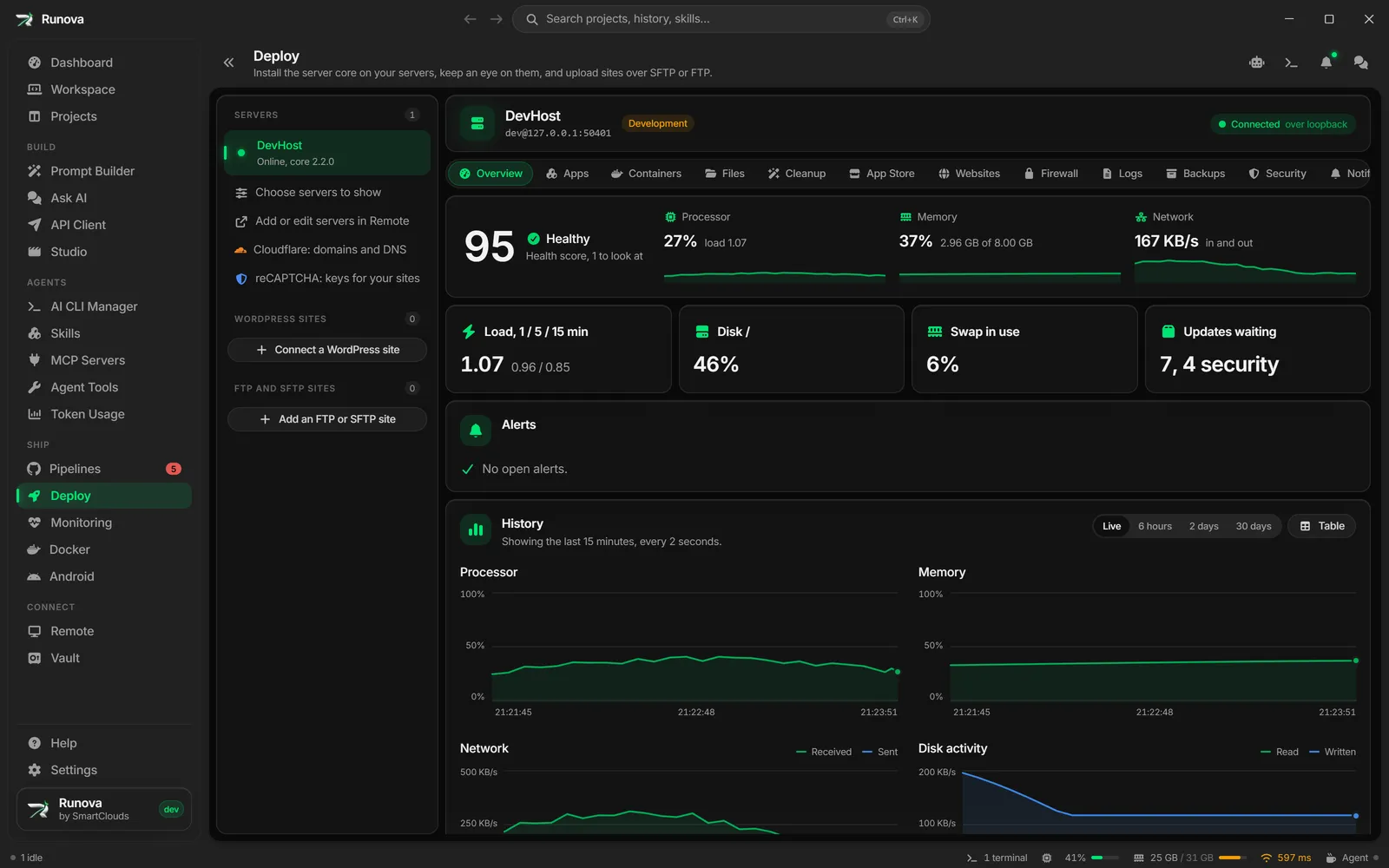
The Overview shows live CPU, memory, disk and network, a health score, alerts, package updates and pending reboots. Apps deploys a project’s compose file with its environment, follows each deploy step by step and rolls back to an earlier revision.
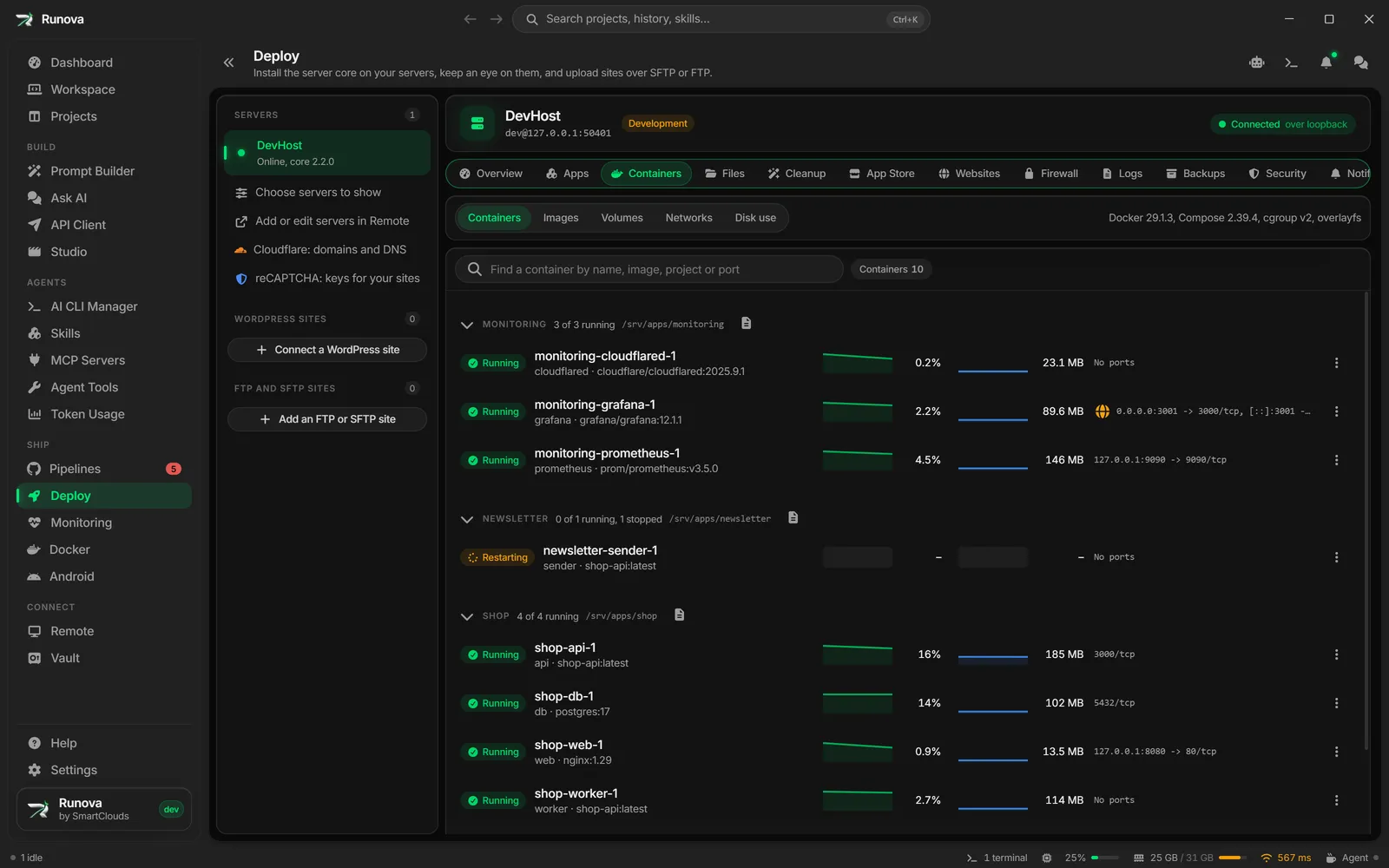
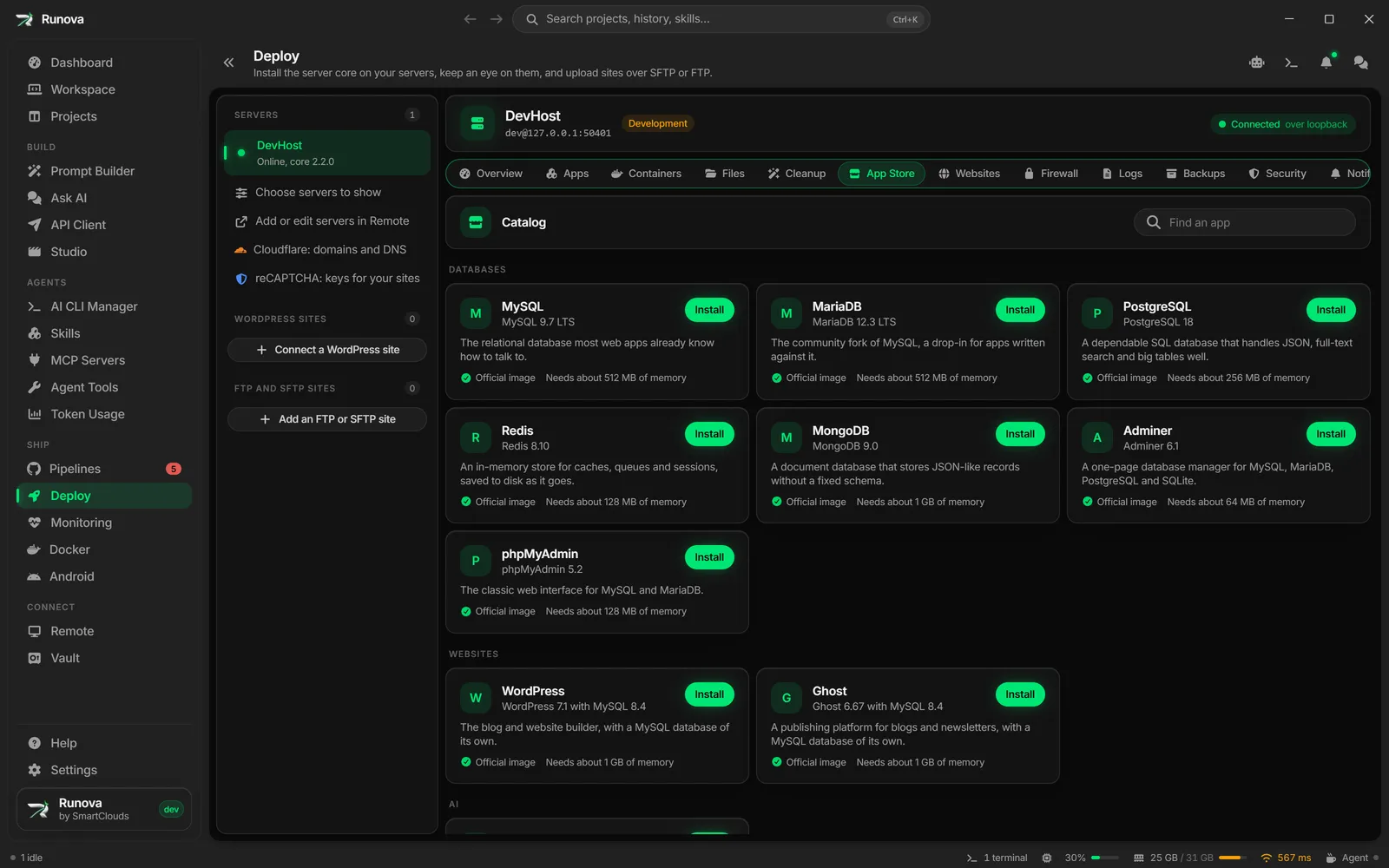
Containers lists the server’s containers, images, volumes and networks with live stats, logs and a console. The App Store installs nineteen ready-made apps (databases, WordPress, Kafka, monitoring and more), each pinned by image digest.
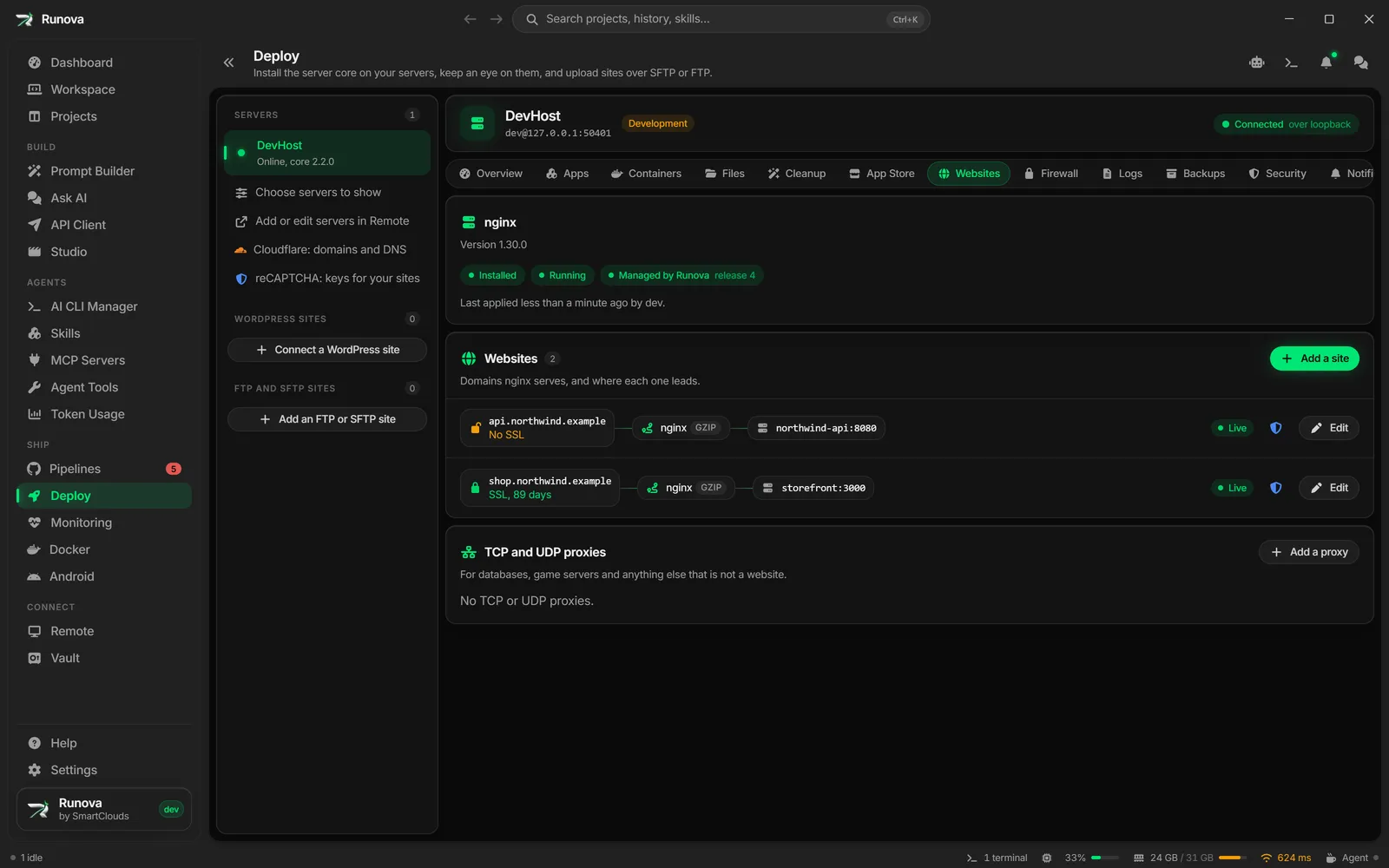
Websites puts nginx sites and TCP or UDP proxies in front of your apps. Every change is checked with nginx -t before it goes live, and Let’s Encrypt certificates renew themselves.
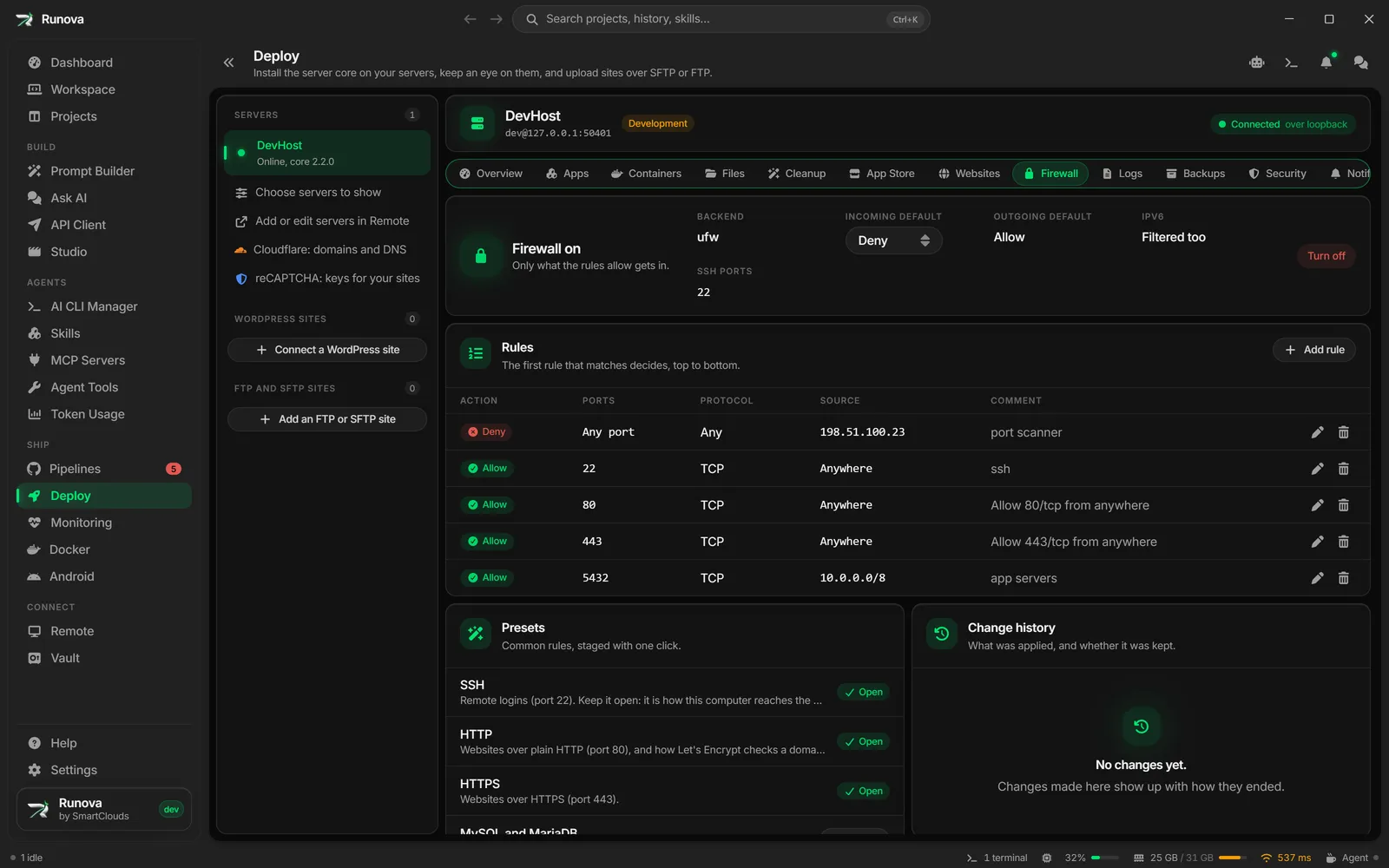
The Firewall manages ufw or firewalld rules and lists containers that publish ports past the firewall, with a fix that makes them private. A firewall change rolls itself back unless you confirm it, so a bad rule cannot lock you out.
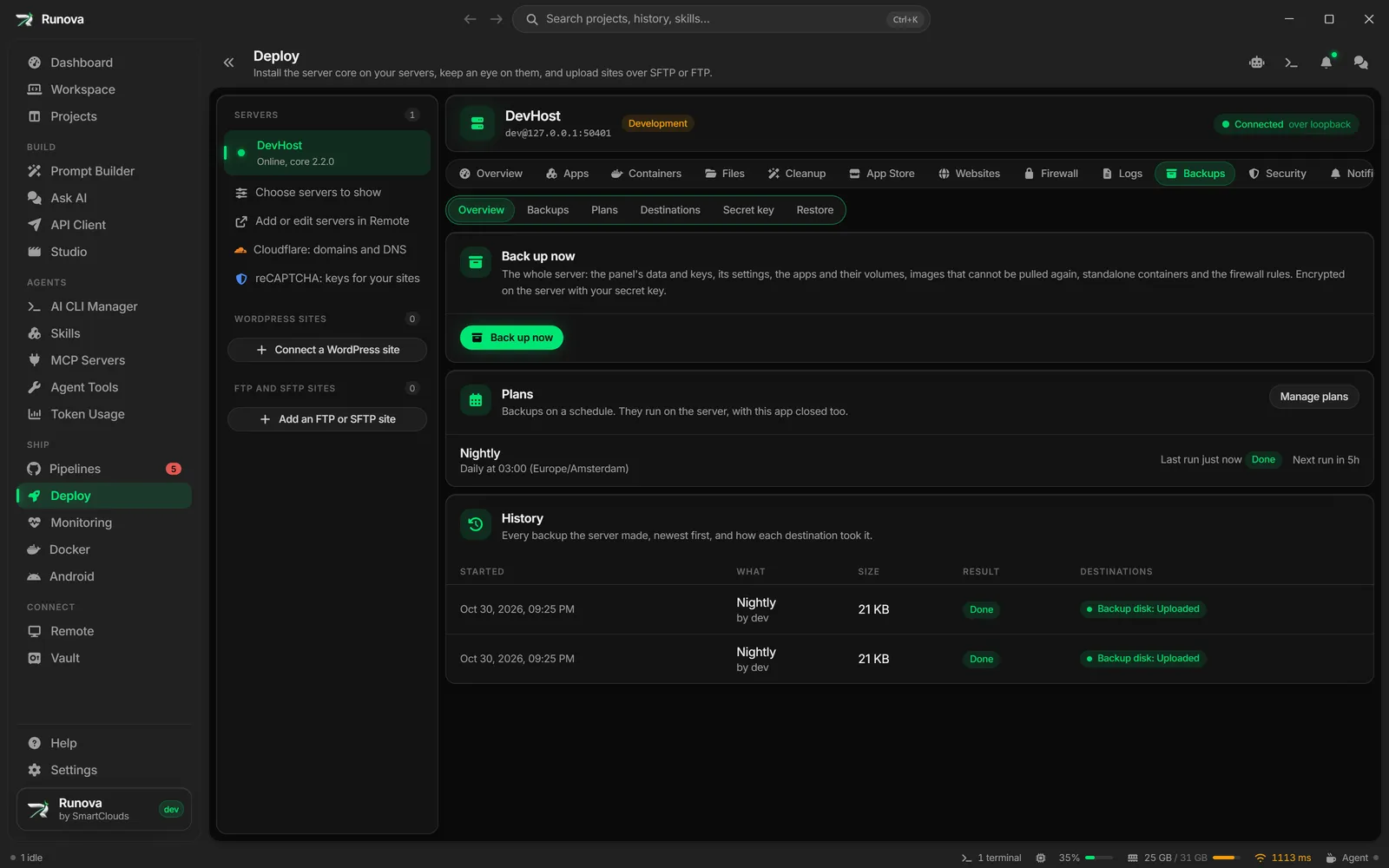
Backups save the whole server (the panel and its settings, the stacks, every Docker volume, the images in use and the firewall rules) now or on a schedule. They are encrypted with a key only you know and can go to several places at once: a folder on the server, FTP, SFTP, Google Drive, OneDrive or Telegram. Restore to the same server, or to a new one with a new address.
Deploy also covers hosting without a shell. Send a project’s folder to a host that only offers SFTP, FTPS or FTP, and Runova shows what changed and never overwrites changes made on the server without asking. WordPress sites reachable only through wp-admin connect through the Runova Connector plugin, with signed requests and deploys that put the old files back if the site breaks.
Monitoring
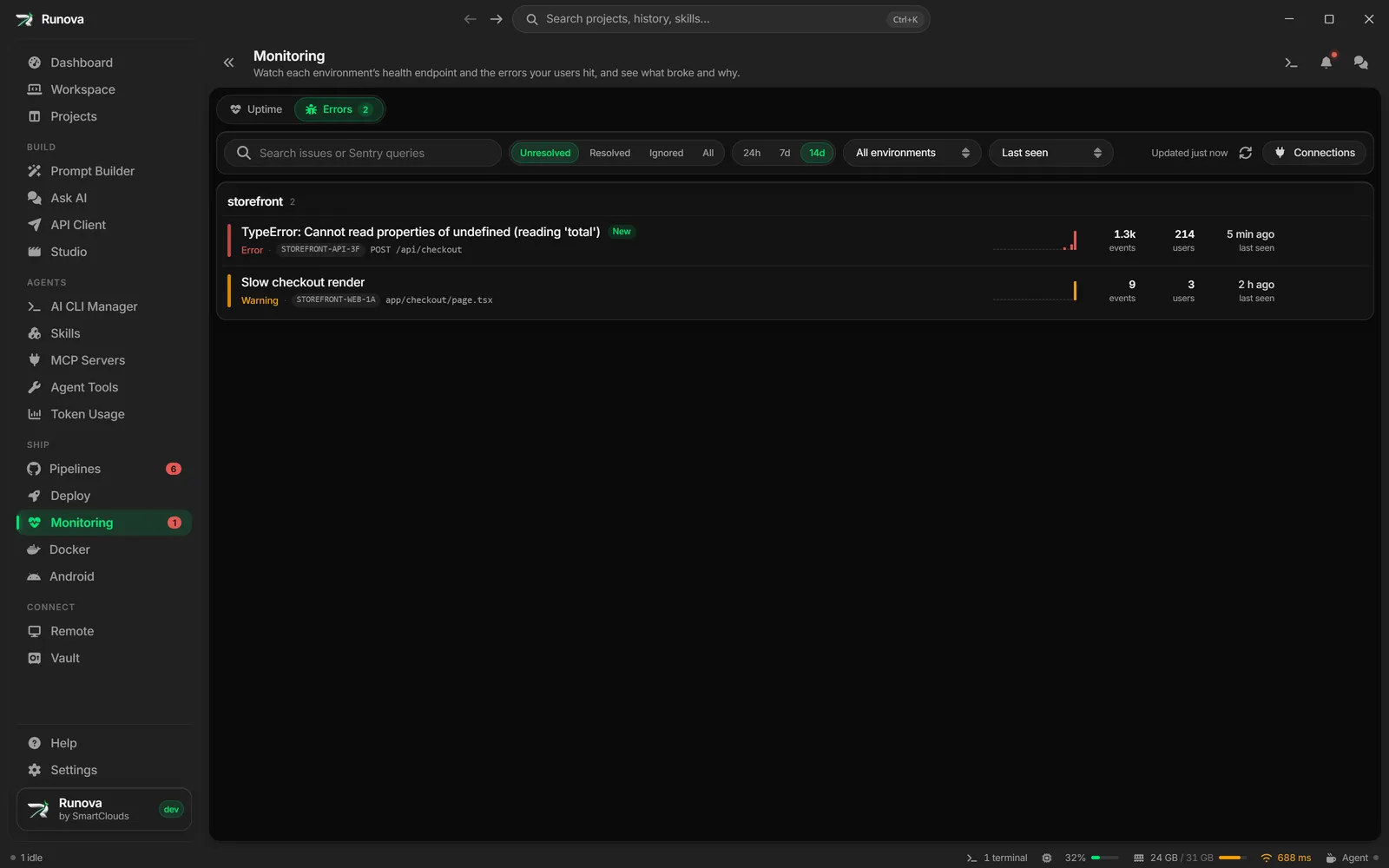
Monitoring watches every environment and server of a project through a private, key-protected endpoint in your app. It shows each service with its status and the full error of any that fail, charts availability by day and response time, and checks each target on its own schedule. You hear about it when an incident opens or resolves.
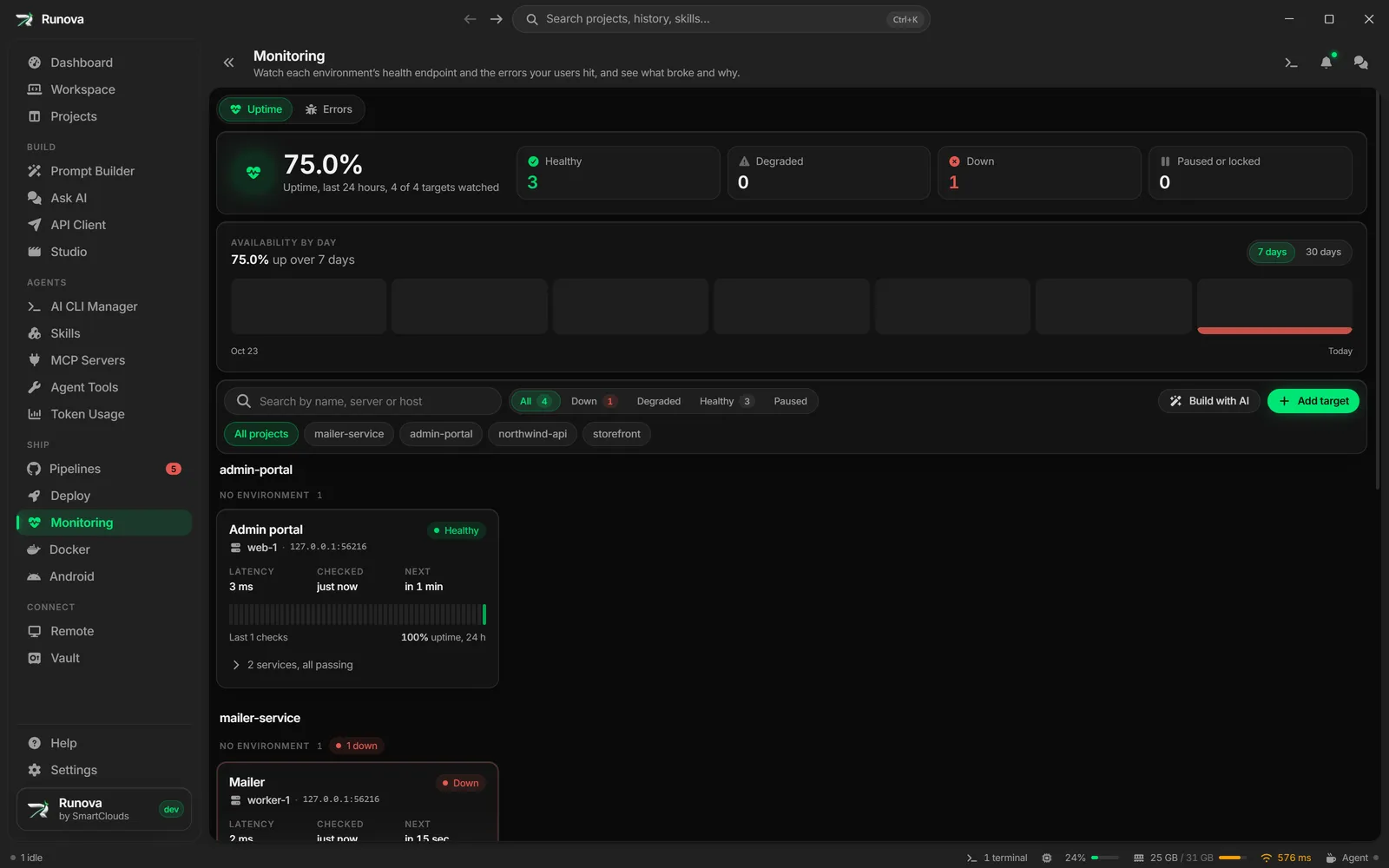
When something breaks, a read-only AI diagnosis looks at it, and Fix with AI hands the failure to an agent. Build with AI gives Claude Code, or any agent, a prompt that adds the endpoint to your stack, whatever it is.
The Errors tab shows what Sentry recorded for each project, from Sentry.io, a self-hosted Sentry, or GlitchTip, with the stack trace ready to copy or hand to an agent.
Docker
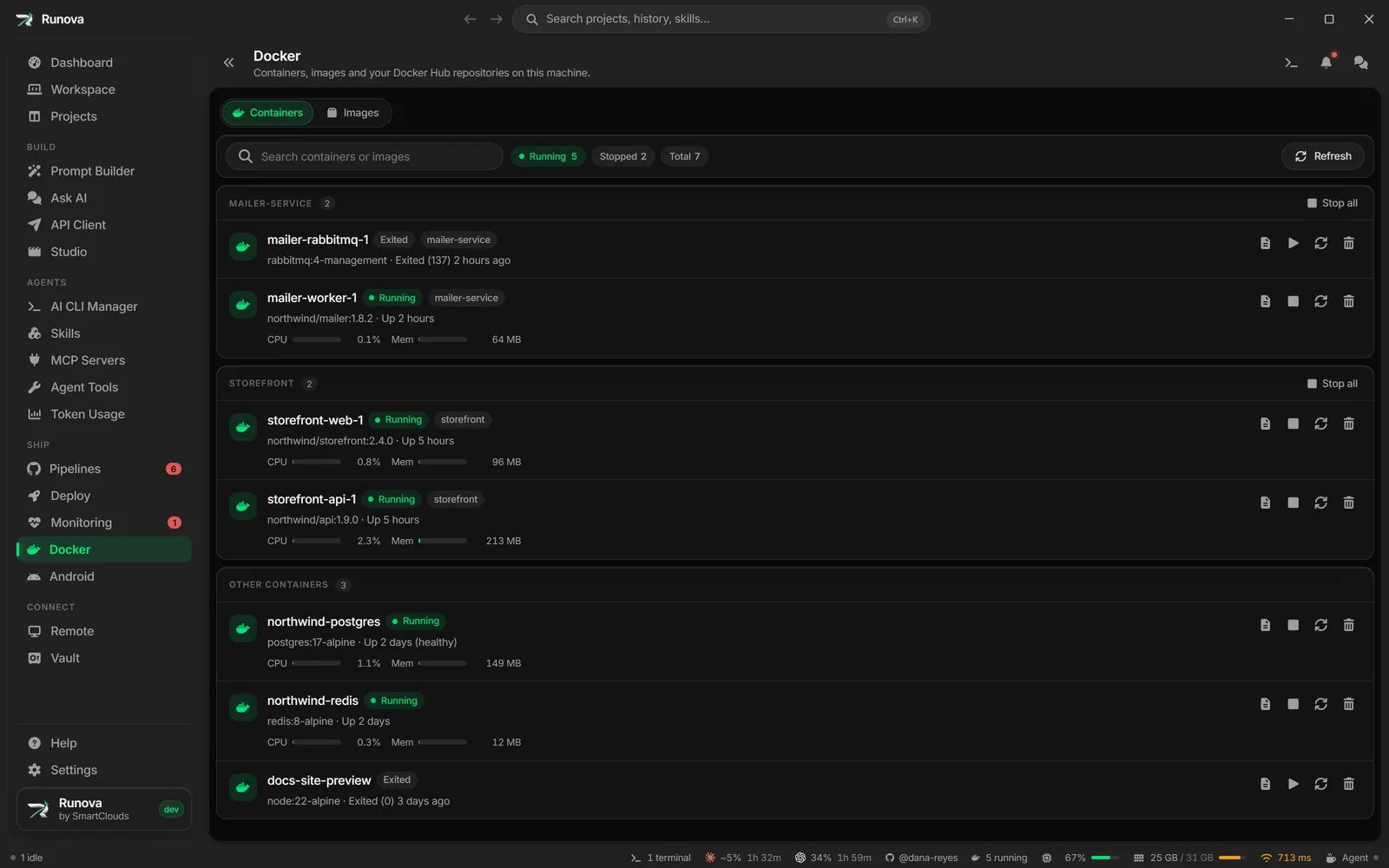
A Docker tab on every project and a Docker page for the whole machine, grouped by compose project. Start, stop, restart and remove containers, stop many at once, and jump to a container from the status bar. The Dashboard also lists containers nobody has touched for a while, so you can stop them and get the memory back.
Android
Test your own Android apps without leaving Runova. Start and stop emulators, create and edit virtual devices, and work with connected devices: take screenshots, record the screen, install an APK or open adb shell. It uses the Android SDK you already have.