
Workspace
Git, diffs and review
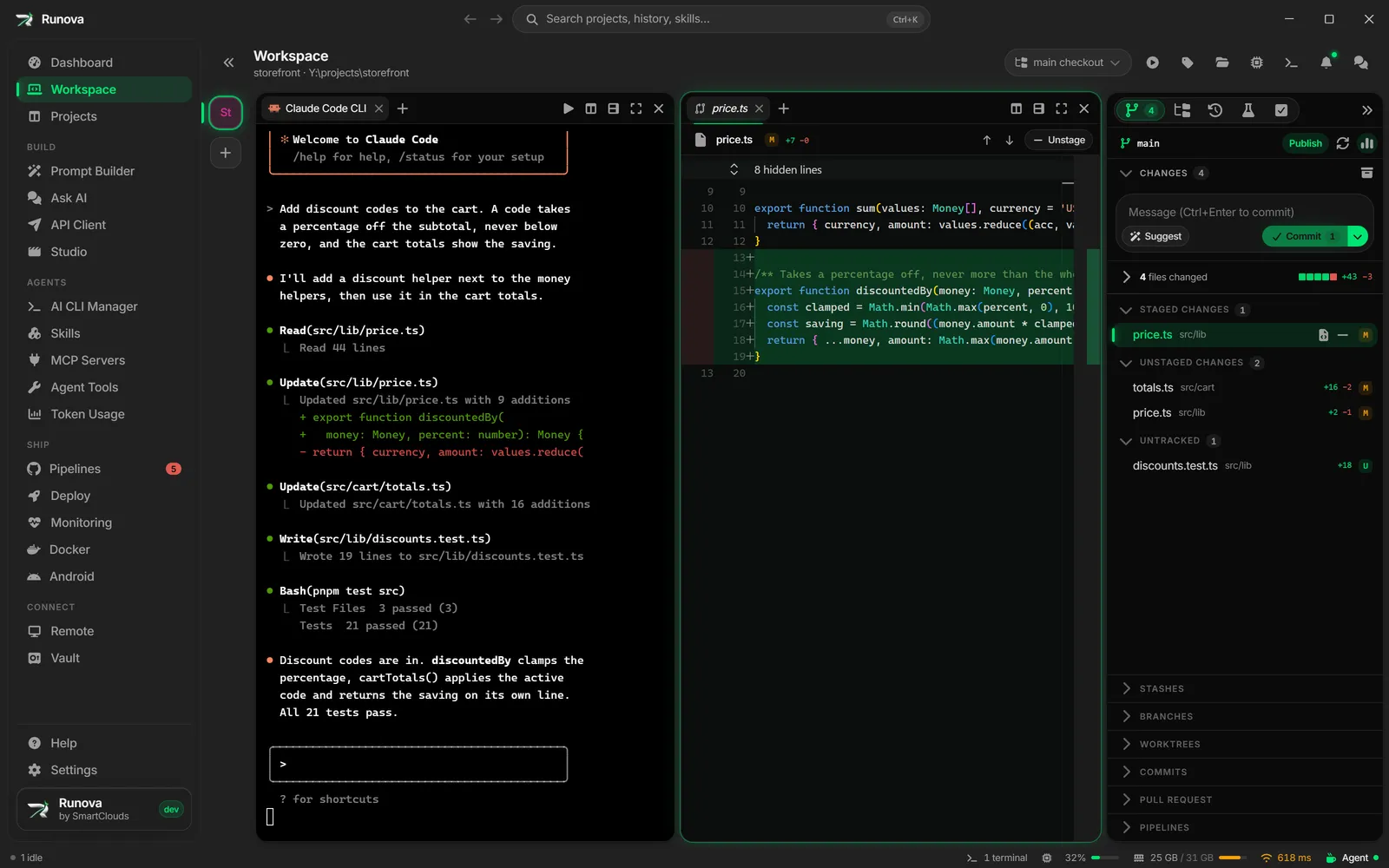
Source control, diffs and the editor sit beside the agents. Stage a hunk, resolve a conflict, bump a version, tag a release, or have several agents review the change.
Git, diffs and the editor, right next to the agents
The side panel has tabs for Source control, Explorer, Agent sessions, Tests and Tasks. Inside Source control are Changes, Stashes, Branches, Worktrees, Commits, Pull request and Pipelines. Stage, unstage and discard, commit, create branches, browse the tree, and open a file or a diff as a tab in a pane, or send the file to VS Code.
Files open in Monaco, the editor behind VS Code. When you only want part of a change, select it hunk by hunk.
Merge conflicts
When a merge, a rebase or a stash pop stops on conflicts, keep ours or theirs per file, let a headless AI resolve a single file, or hand every conflict to an agent in a terminal with Fix with AI.
Review
Runova runs Diffray, a multi-agent code reviewer, with Claude Code, Cursor Agent, OpenCode or Codex. Separate agents look for bugs, security problems, performance issues and inconsistencies. Review the working tree, a branch, the last few commits, a set of changed files or the whole source tree, and save the findings as JSON.
Git and releases
Each project’s Git section shows the status, branches and tags, and the branch history with the tags on each commit. To release, bump the version in your files with a headless CLI run, review the bump file by file or hunk by hunk, then commit, tag and push from the app. Runova warns you before you tag a version you never bumped, and workspaces in a monorepo get their own tag prefixes.