
Build
Build
The tools you use before and around an agent run. Plan a project with Blueprint, shape prompts, run them later, check your writing, chat with a model and call your APIs.
Blueprint: from an idea to a plan
Every project has a Blueprint, a stepped builder that turns a rough idea into a prompt a Product Manager agent can plan from. You fill in the idea, the architecture, the backend, the frontend, CI/CD and quality, one step at a time, and write each step as Markdown with a live preview. Snippets you defined once in Settings drop into any step, and a screenshot, a recording or a PDF lands right where the caret is.
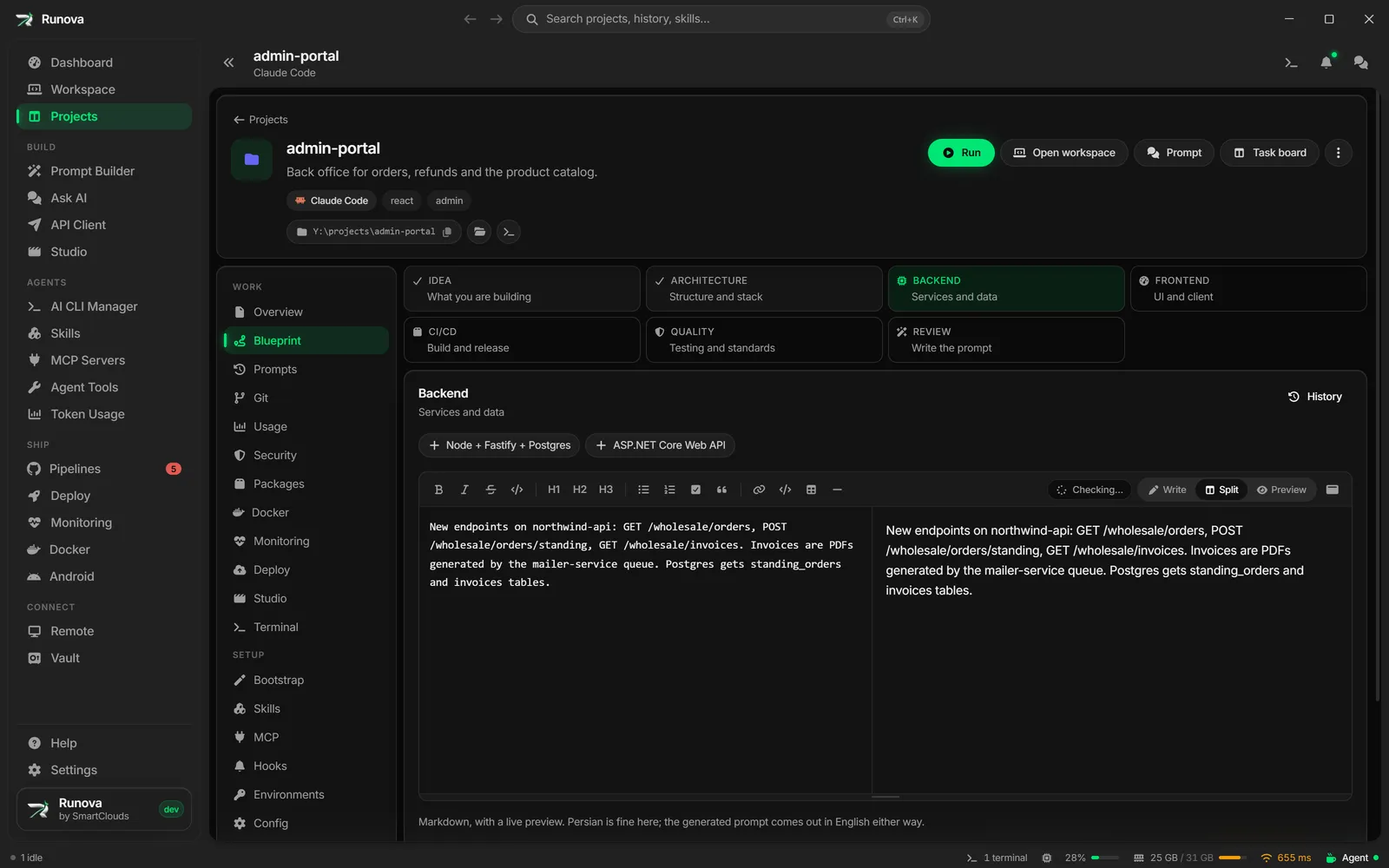
The last step writes a single English prompt that asks an agent to plan the project into your docs folder: phases, epics, a task backlog, milestones and risks. Turn on Split into Relay tasks and the agent writes Relay task files instead. You can write the steps in Persian; they are translated before the prompt is made.
Nothing is lost along the way. Every save is a version you can read and restore, and any step you tick is copied into the project’s CLAUDE.md or AGENTS.md, so the agents keep seeing it.
Prompt Builder
Describe what you want in your own words and the Prompt Builder turns it into a structured prompt for the agent you pick. Generate, translate and copy without leaving the keyboard. If typing is slow, dictate instead: speech to text runs locally with Whisper and understands Persian too, or you can speak a prompt word for word and skip generation entirely.
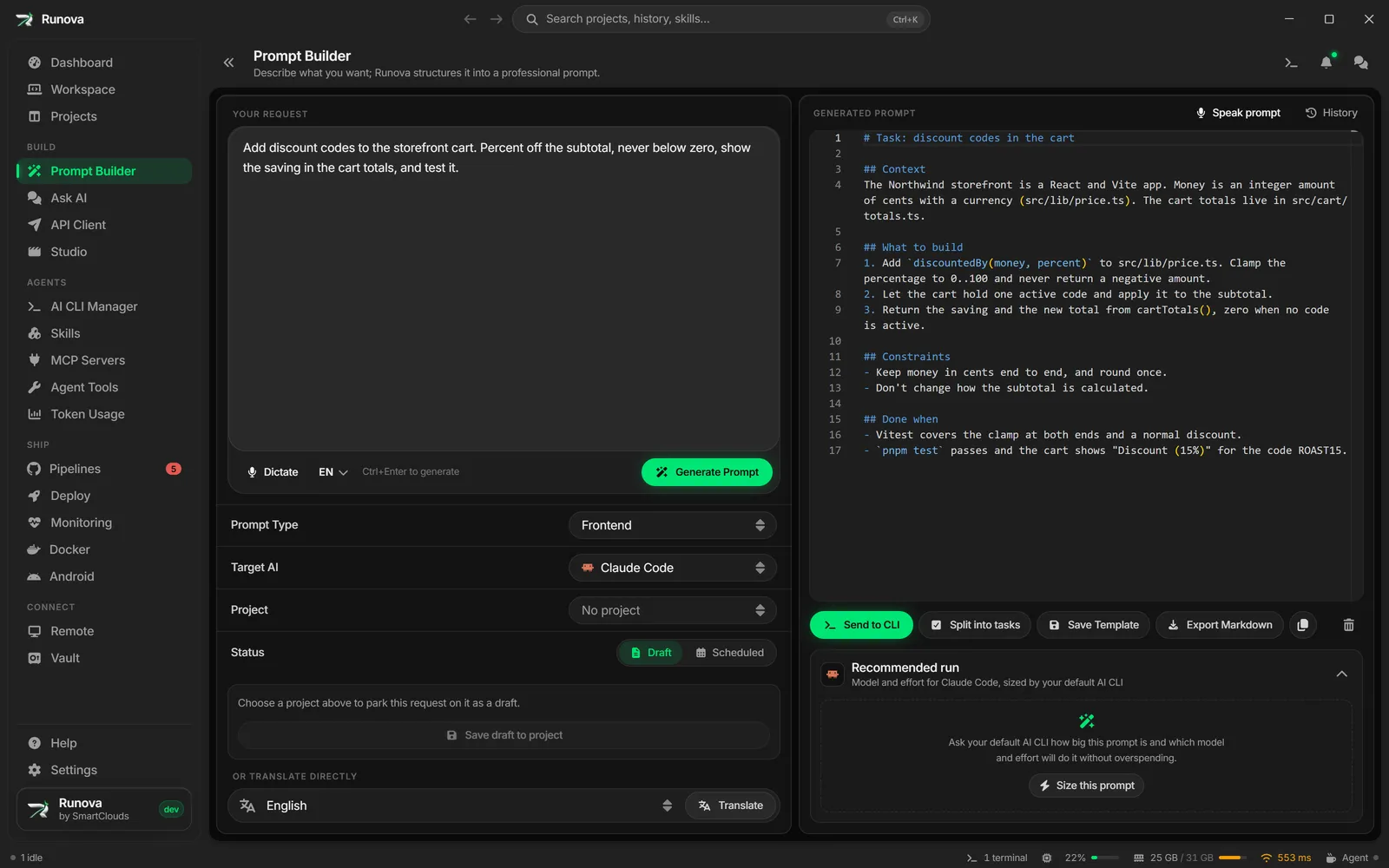
Before you start a run, Runova suggests a model and a reasoning effort that fit it. Split into tasks turns a large request into Relay tasks, and you review them before anything is written.
Prompt History and scheduled prompts
Prompt History keeps every prompt you generated or translated. Search it, tag it, and read Persian and other right-to-left text the way it should look.
Scheduled prompts run a prompt in an agent CLI later: when you press Run, or at a time you set. Follow the run from the project’s Prompts section, or from Telegram if you set up notifications.
Writing check
Grammar, spelling and style are checked in the app’s text boxes by LanguageTool. Problems are underlined as you type. Right-click one for its fix, or open the counter in the corner for the full list with one-click fixes. By default the check uses LanguageTool’s public service. Put the LanguageTool download in the app’s tools folder and Runova runs the server on your computer, so nothing you write leaves the machine.
Ask AI
A chat with OpenAI, Gemini or a local Ollama model, either as a full page or as a quick popup you can open from any screen. It is there for the questions that do not need an agent in your repo.
API Client
Build HTTP requests in tabs, send them, and read the status, headers, timing and body of the response. Save them in collections with folders, stored as Postman files so you can bring the ones you already have.
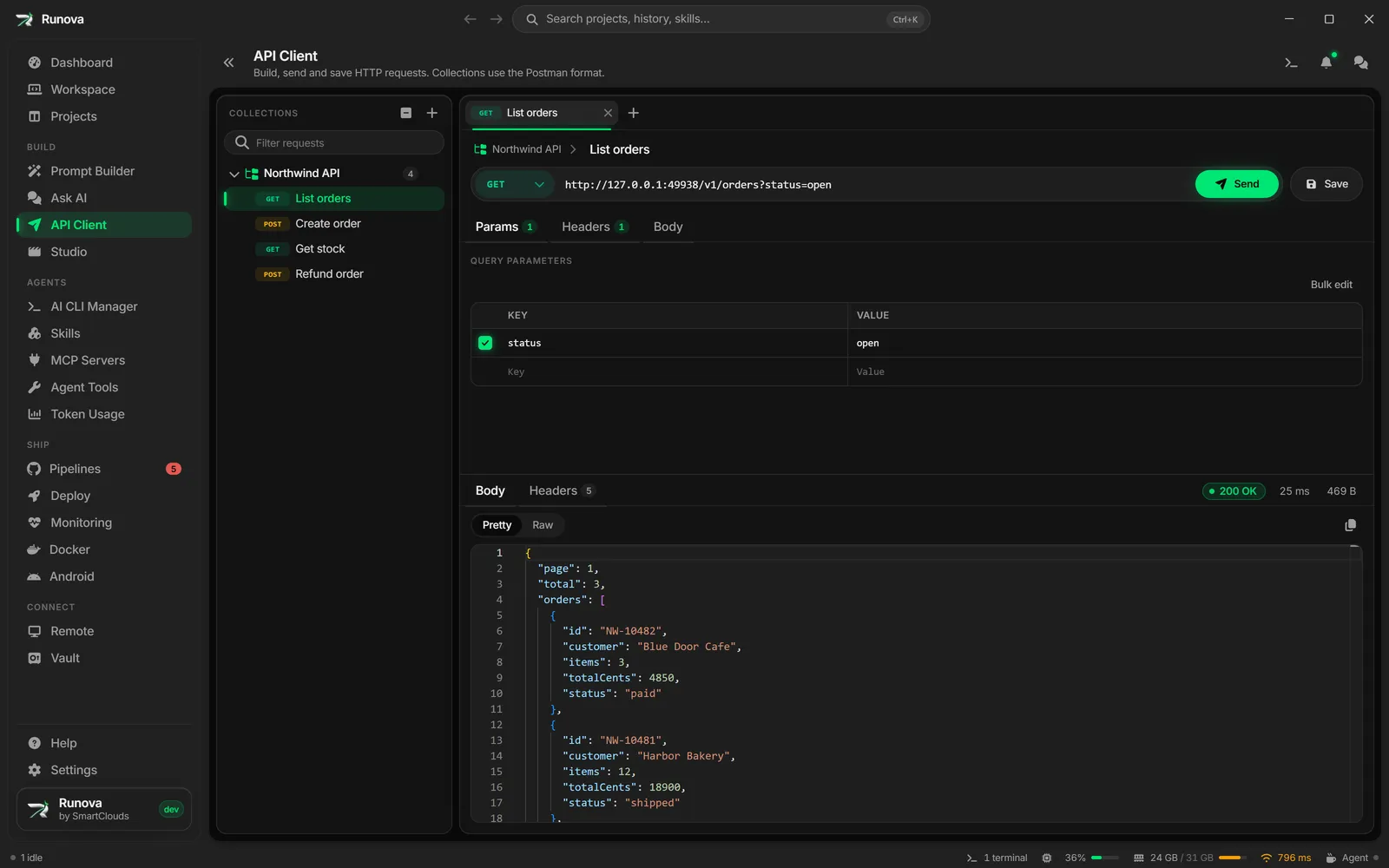
Request scripts run in a process of their own. A script from an imported collection that loops forever cannot freeze the app.