
Connect
Connect
Reach other machines from one place. Control another Runova on your network, open SSH and Remote Desktop sessions, and keep their passwords in an encrypted vault.
Remote
Control another computer running Runova over your local network. One computer hosts and gives out a pairing code, the other connects with it, and the two talk over WebSockets. A remote file manager moves files between them, and transfers pick up where they stopped if the connection drops.
SSH
Keep your servers in the vault and open terminal sessions to them in the drawer. A two-pane SFTP file manager uploads and downloads files and whole folders, changes permissions and edits text files right on the server, while the status bar keeps an eye on the transfers.
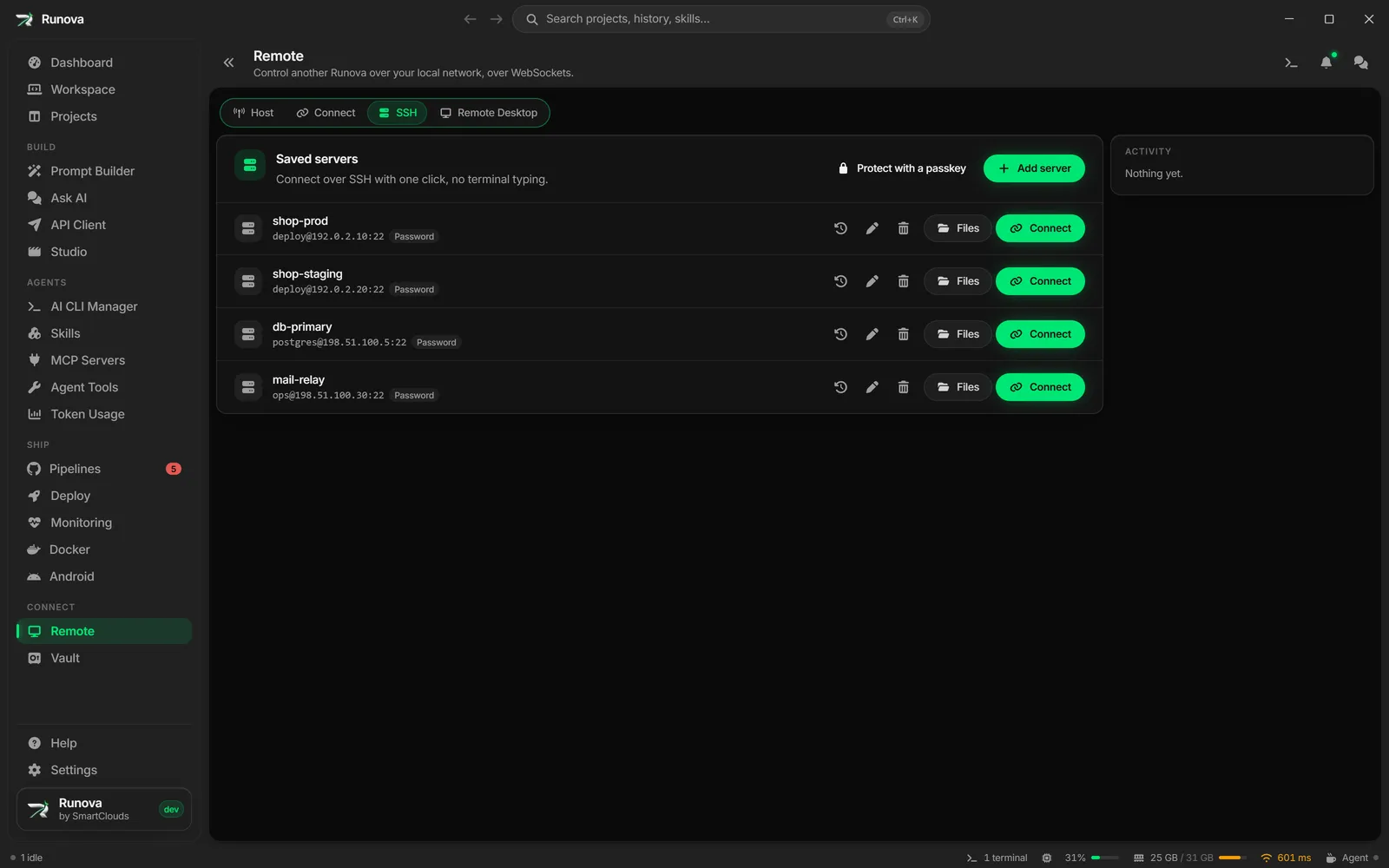
There is also an AI task runner. Tell it what you want done on the server and it prompts an agent in a loop, runs the commands in your live session, and stops for your approval before anything risky.
Remote Desktop
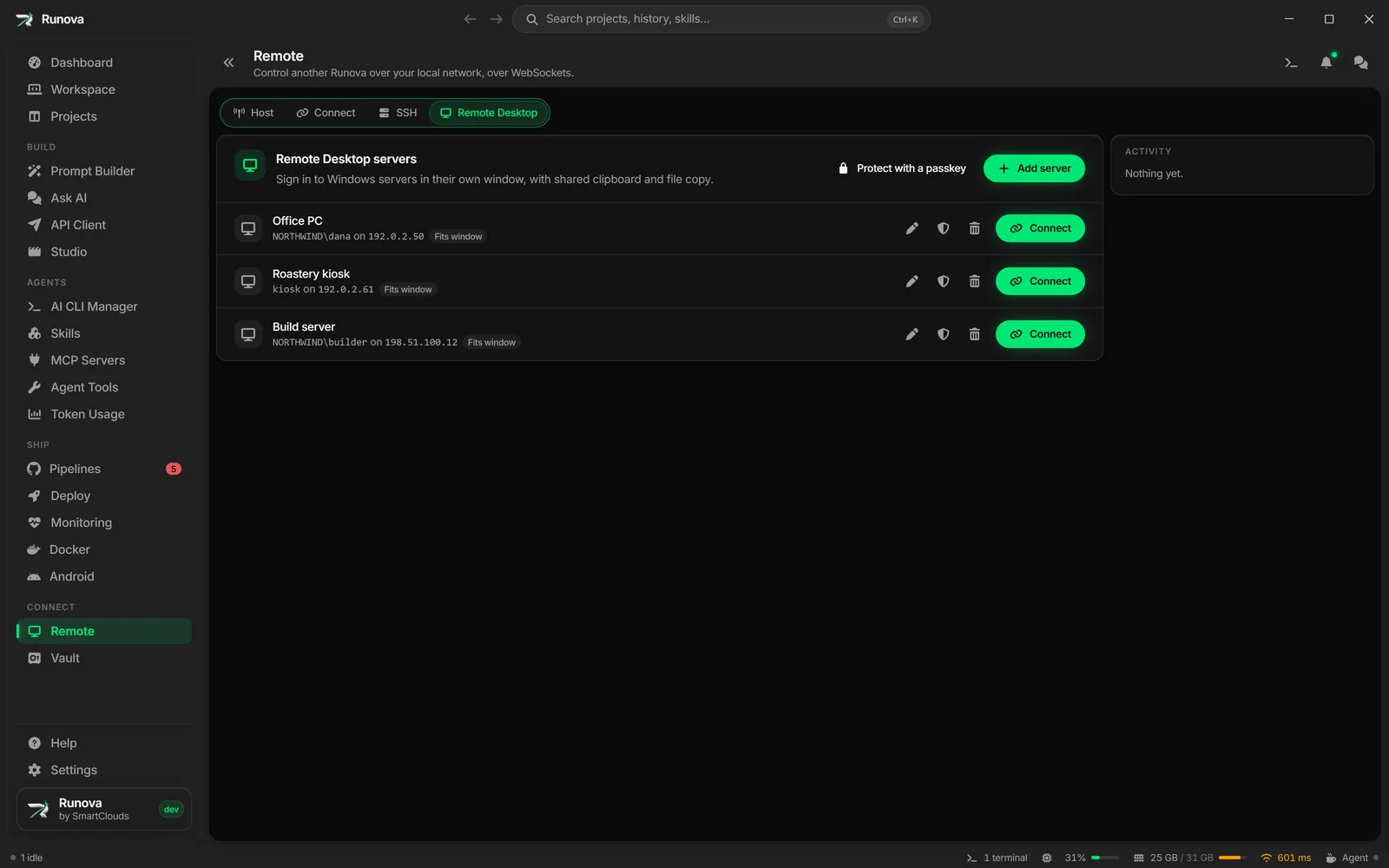
Save Remote Desktop servers and open full sessions in a window of their own, built on Devolutions Iron Remote Desktop. The clipboard is shared, files copy across, and the session can go full screen. An AI can also carry out tasks on the remote desktop for you.
Vault
Passwords, API keys and private notes, encrypted on this computer behind a master password.
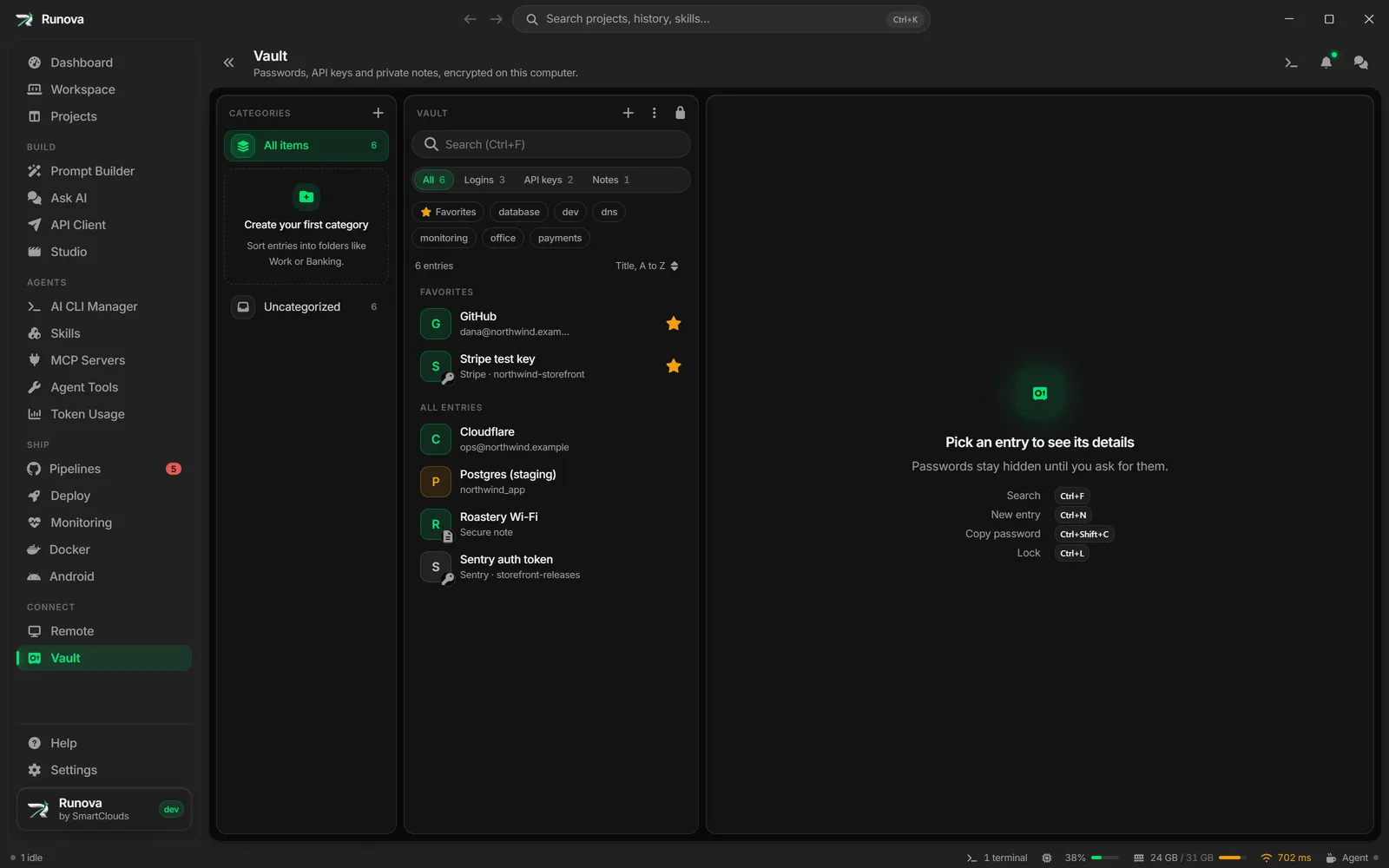
- Find things fast with ranked search, tabs for each type, tags and favorites.
- Make and store secrets with a password generator and custom fields.
- Bring what you have with CSV import that matches columns and handles duplicates. Export sits behind the master password.
- Stay locked with auto-lock, a clipboard that clears itself on a countdown, and locking whenever the computer locks.
The same vault holds the SSH, Remote Desktop and environment credentials, and every decrypted value leaves the app’s memory the moment it locks.